

Two editing modes
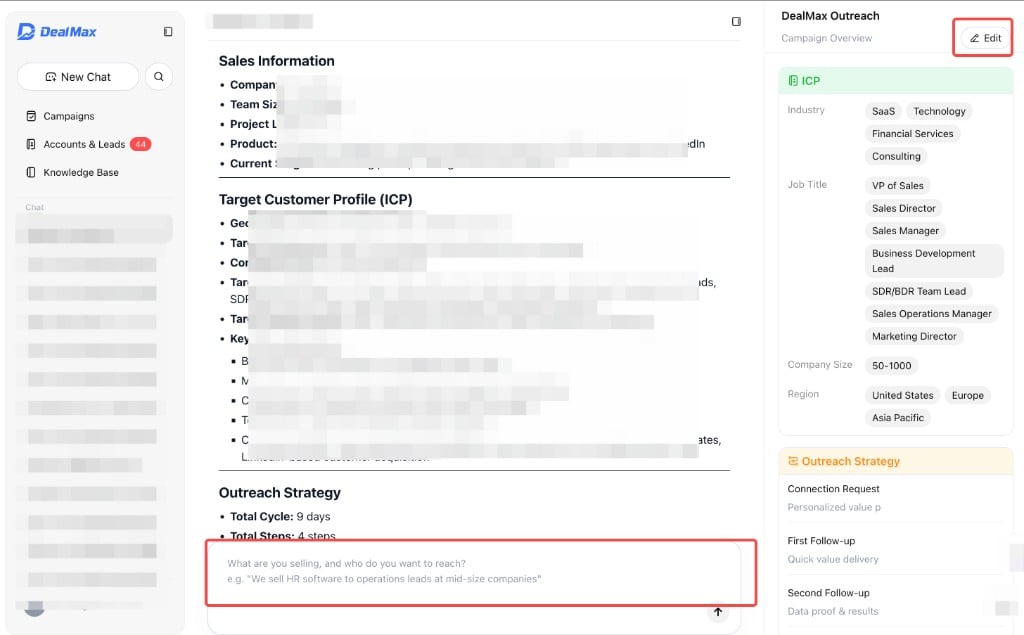
Edit via chat with Max
Type your change in the Campaign chat. Examples:- “Change target industries to SaaS and FinTech”
- “Set follow-up spacing to every 7 days”
- “Lead with cost reduction instead of product features”
- “Add another follow-up step”
Edit via the form
Click Edit on the Campaign detail page to open the overview panel. You can update:- ICP — industry, job title, company size, region, pain points (under the ICP tab)
- Outreach Strategy — content angle and follow-up cadence
- Run mode — Copilot or Autopilot
- Daily request limit
Contact us
Have questions or need help with DealMax? Get in touch with our team.